1. Introduction
GraphQL is a query language that allows applications to request specific data through an API. Instead of making separate requests for different pieces of information, clients can request multiple fields in a single operation.
Liferay DXP 7.4 provides GraphQL APIs through the /o/graphql endpoint. As applications grow, caching becomes important because it can reduce repeated data-access work and improve performance.
However, caching in Liferay is not limited to GraphQL. Service Builder provides caching mechanisms at the persistence layer, while applications may also use client-side or other forms of caching.
This article explains how GraphQL requests interact with Liferay caching, how Service Builder caching is configured, and how developers can investigate data-freshness and performance issues.
2. How GraphQL Requests Work in Liferay
When a client sends a GraphQL query or mutation, Liferay processes the requested operation and returns the result. Depending on the implementation, the operation may call services and access the persistence layer.
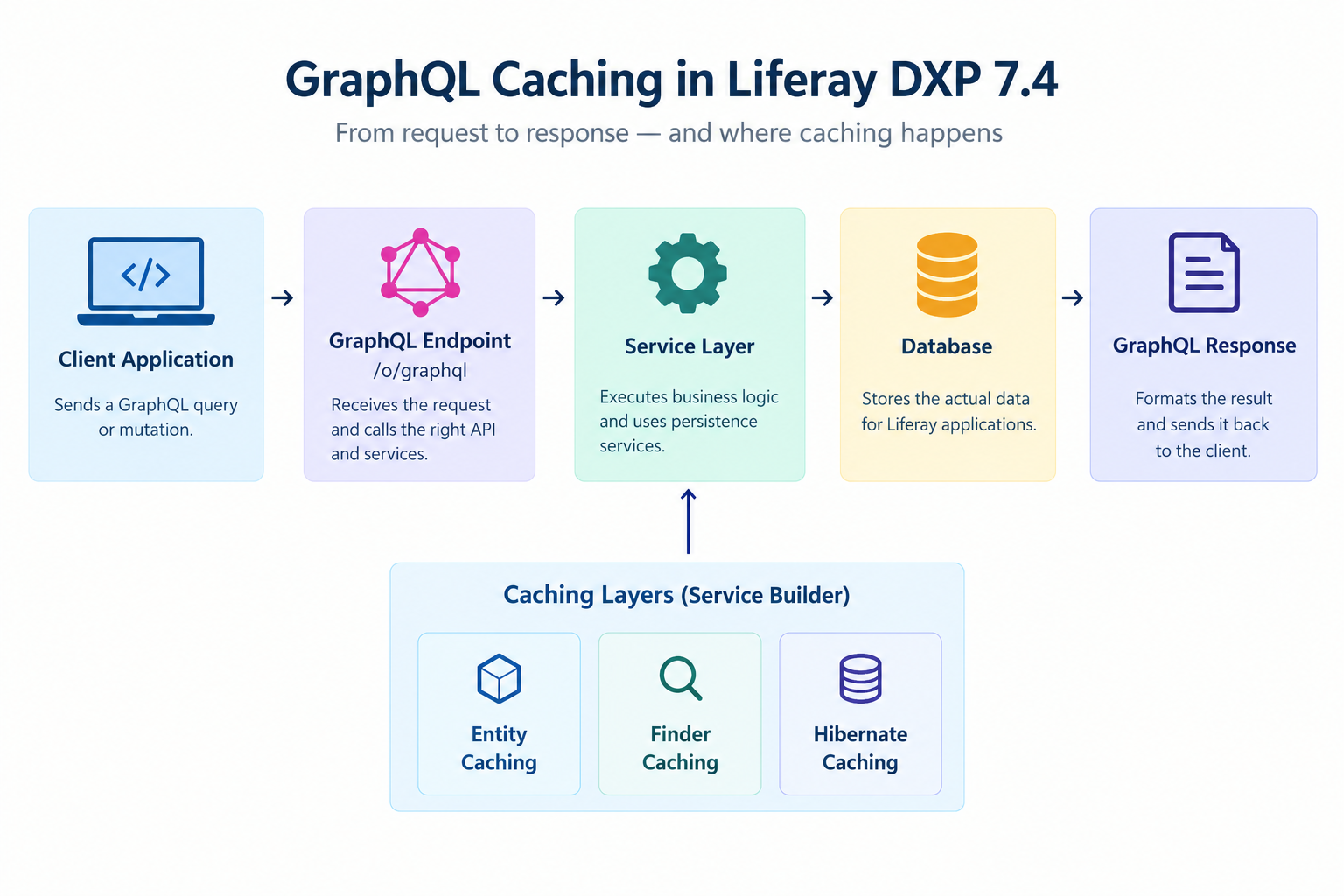
Client Application → GraphQL Endpoint → API and Service Logic → Data Retrieval → GraphQL Response
For example, an asset management application can request an asset's name, category, and status through a single GraphQL query, provided the API supports those fields.
The underlying services determine how the requested information is retrieved. If those services use caching, the request may benefit from the configured caches.
GraphQL itself does not guarantee that every request uses a cache or that the complete response is stored for future requests. Understanding this distinction helps developers investigate performance at the correct layer.
3. Caching Mechanisms in Liferay DXP 7.4
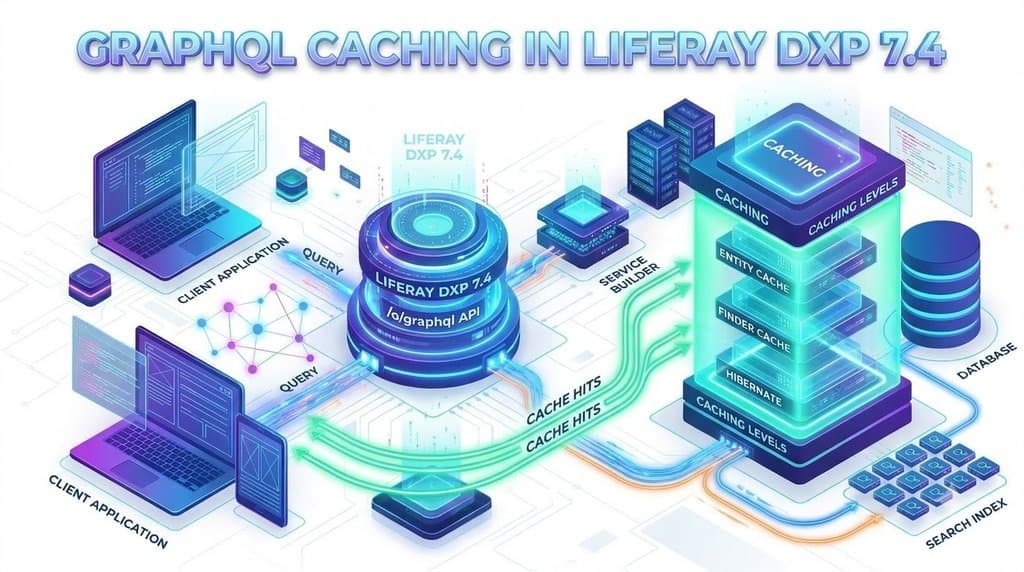
Liferay Service Builder generates model, persistence, and service layers from service.xml. It supports three caching levels: entity, finder, and Hibernate-level caching.
3.1 Entity Caching
Entity caching stores individual model objects for reuse. When an application retrieves the same entity through a supported access path, Liferay may reuse cached information instead of loading it from the database again.
For example, repeatedly retrieving the same asset may require less database work when the relevant cache is enabled. The actual behaviour depends on the configuration and access path.
3.2 Finder Caching
Finder caching stores the results of supported finder methods generated by Service Builder. These methods retrieve records using defined conditions.
For example, an application may repeatedly retrieve assets belonging to a particular category. Finder caching can reduce repeated retrieval work when the relevant cache applies. Unlike entity caching, which focuses on individual objects, finder caching focuses on finder results.
3.3 Hibernate-Level Caching
Hibernate handles object-relational mapping between application objects and database tables. Liferay also supports caching at the Hibernate level.
This caching mechanism belongs to the persistence framework rather than GraphQL itself. Its effect depends on the configuration and operations being performed.
Together, these caching levels can reduce repeated data-access work, but they do not mean that every GraphQL request uses the same cache.
4. Configuring Caching in Service Builder
The cache-enabled attribute in a Service Builder service.xml file controls the configured caching behaviour for an entity.
Example:
<entity
name="Asset"
local-service="true"
remote-service="true"
cache-enabled="true">
</entity>
This is an illustrative example, not a complete production-ready entity definition.
- name="Asset" identifies the entity.
- local-service="true" enables the generated local service.
- remote-service="true" enables the generated remote service.
- cache-enabled="true" enables the configured caching behaviour for the entity.
4.1 Default Configuration
In the Liferay DXP 7.4 Service Builder DTD, cache-enabled defaults to true.
| Configuration | Meaning |
| cache-enabled="true" | Enables configured entity caching. |
| cache-enabled="false" | Disables the entity's configured caching behaviour. |
| Attribute omitted | Uses the documented default of true. |
If an external program updates a database table directly, it may bypass normal Liferay service-layer mechanisms and cause cached information to become inconsistent with the database. Liferay advises disabling entity caching when the corresponding table is updated by external programs.
4.2 Relationship Between Service Builder and GraphQL
When a GraphQL operation retrieves data through an API backed by Service Builder, the underlying services may use their configured caches.
GraphQL Request → API and Service Logic → Persistence Layer and Applicable Caches → GraphQL Response
The API processes the request, the service layer executes the required operations, and the persistence layer retrieves or manages data. Response handling then formats the result for the client.
Enabling Service Builder caching does not automatically cache the complete GraphQL response. It may improve data retrieval without removing all the processing involved in a GraphQL request.
5. Caching vs. Search Indexing
Caching and search indexing can both affect data retrieval, but they serve different purposes.
- Caching: Keeps selected data or query results available for reuse, reducing repeated work.
- Search indexing: Maintains searchable information to support operations such as filtering, sorting, and collection queries.
In Liferay, the data source depends on the API operation. Supported collection and filter queries may use the search index, while supported single-entity lookups by ID or external reference code can retrieve data directly from the database.
5.1 Why Might Newly Created Data Be Missing?
Consider an application that creates an asset and immediately requests a filtered collection.
- The application creates the asset.
- The database transaction commits.
- The search index has not yet reflected the new record.
- The application executes a collection query.
- The new asset may not appear until indexing catches up.
This may be a search-index freshness issue rather than a caching problem. When immediate retrieval is required, consider using the new record's ID or external reference code if the API supports that lookup.
5.2 Troubleshooting Data Retrieval
When data appears missing or outdated, developers should check:
- Whether the request retrieves one record or a collection.
- Whether the operation uses the database or search index.
- Whether indexing has completed.
- Whether Service Builder caching affects the access path.
- Whether a direct lookup returns different results from a collection query.
These checks help identify the actual cause instead of assuming that GraphQL caching is responsible.
6. Cache Invalidation and Data Consistency
Cache invalidation is the process of removing or updating cached information when the underlying data changes. It helps prevent subsequent requests from relying on outdated entries.
Consider an asset named Laptop A. The application retrieves it, updates its name to Laptop B, and retrieves it again. The subsequent request should return the updated information through the relevant data-access path.
The result depends on the implementation, configuration, and update method.
6.1 Common Causes of Data Consistency Problems
- Service-layer updates: Changes made through the expected Liferay service and persistence mechanisms follow the framework's normal data-management behaviour.
- Direct database updates: External programs may bypass normal cache-management mechanisms, potentially leaving cached information outdated.
- Multiple caching layers: Entity, finder, Hibernate, and client-side caches have different responsibilities.
- Search-index delays: Collection queries may not immediately reflect database changes if indexing has not caught up.
6.2 Troubleshooting Checklist
When investigating outdated GraphQL results, follow these steps:
- Identify the GraphQL operation and underlying service.
- Review the entity's cache-enabled setting.
- Check whether updates occur through Liferay services or direct database operations.
- Determine whether the request uses an individual lookup or collection query.
- Compare results before and after an update.
- Investigate client-side or HTTP caching if the API returns current data but the UI displays older information.
Identify the responsible layer before changing cache settings. Disabling caching without understanding the problem may not solve it.
7. Performance Considerations and Best Practices
Caching is only one factor affecting GraphQL performance. Query design, service operations, database access, search indexing, and client-side processing also influence response time.
7.1 Request Only Required Fields
GraphQL allows clients to specify the fields they need. For example, an application displaying an asset's name and status does not need to request every available property.
query{
assets{
items{
name
status
}
}
}
This is an illustrative query; the exact operation and fields depend on the application's GraphQL schema.
Requesting fewer fields can reduce response size and simplify client-side processing. However, it does not guarantee fewer database queries or automatic response caching.
7.2 Use Pagination for Large Collections
Retrieving thousands of records in one request can increase response size and processing time. Where supported, pagination allows an application to retrieve manageable portions of a collection.
Developers should choose a suitable page size and apply filters when only a subset of records is required.
7.3 Configure Caching According to Data Access Patterns
Before changing caching settings, consider:
- How frequently the entity is accessed and updated.
- Whether external programs modify the corresponding database table.
- Whether entity and finder caching apply to the operation.
- Whether the expected performance improvement can be measured.
Caching should be configured according to the application's data-access patterns rather than enabled or disabled without investigation.
7.4 Measure Performance Before Making Changes
A slow GraphQL request does not necessarily mean caching is ineffective
Measuring performance before and after a change helps determine whether the change improves the application.
| Area | What to investigate |
| GraphQL request | Requested fields and query complexity |
| Service layer | Business logic and repeated calls |
| Database | Query execution time and load |
| Caching | Configuration and reuse of cached information |
| Search indexing | Index freshness and collection-query behaviour |
| Client application | Response processing and client-side caching |
8. Conclusion
GraphQL caching in Liferay DXP 7.4 depends on how the API interacts with underlying services and persistence layers. Service Builder supports entity, finder, and Hibernate-level caching to reduce repeated data-access work. Developers should distinguish caching from search indexing when investigating data-freshness issues. Proper cache configuration and query design can improve application performance. Understanding these mechanisms helps developers build efficient and reliable Liferay applications.