List Of Blogs > Automating Issue Reporting via WhatsApp n8n and Liferay
Abdul Kaleem
Automating Issue Reporting via WhatsApp, n8n, and Liferay
Businesses often face the challenge of efficiently capturing customer issues and creating support tickets. In this tutorial, we’ll show how to automate this process using WhatsApp, n8n, and Liferay, allowing users to report issues via WhatsApp while tickets are automatically logged in your system.
Step 1: Capturing User Interaction on WhatsApp
The workflow begins with a WhatsApp conversation. The bot greets the user and asks:
“Hi Abdul Kaleem! How can I help you today?”
The user then describes their issue, and the bot follows up by asking for the area where the issue is occurring.
Screenshot:
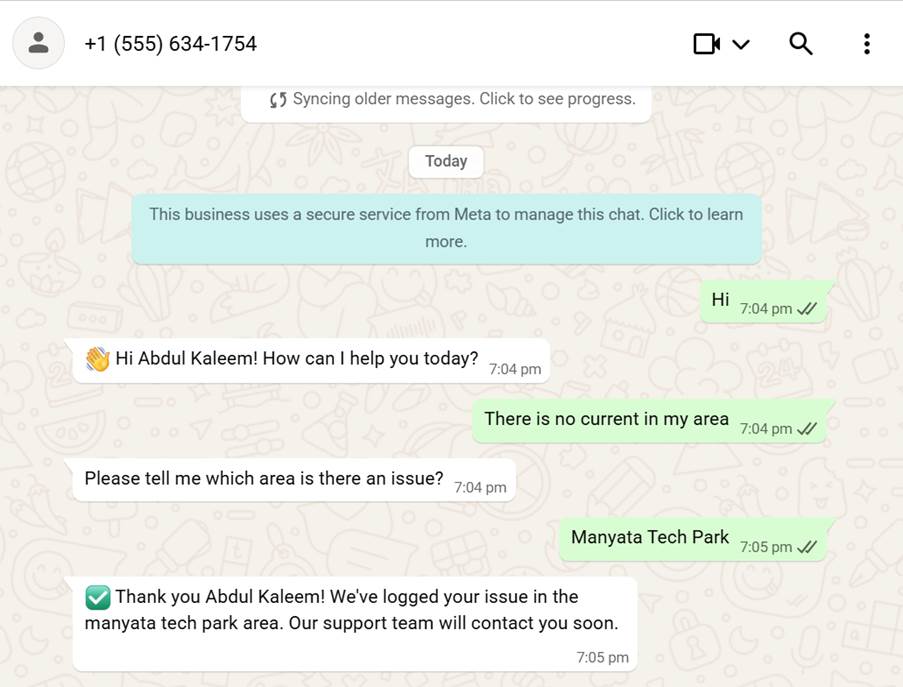 This approach ensures that users can quickly report their issues without switching platforms.
Step 2: Handling Conversation Logic in n8n
We use n8n’s Function node to manage the conversation state. The workflow guides the user through the following steps:
Here’s an example of the output JSON from the Function node:
{
"from": "919591037338",
"name": "John",
"reply": "✅ Thank you John! We've logged your issue in the bangalore area. Our support team will contact you soon.",
"shouldSave": true,
"data": {
"issue": "There is no current in my area",
"area": "Manyata Tech Park",
"name": "Abdul Kaleem",
"phoneno": "919591037338",
"ticketStatus": true
},
"timestamp": 1731515100000
}
Screenshot: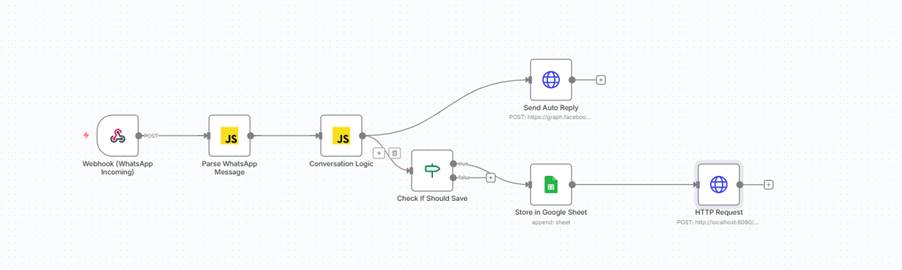
Step 3: Sending Ticket Data to Liferay
Once shouldSave = true, an HTTP Request node in n8n automatically creates a ticket in Liferay. The payload includes:
Screenshot: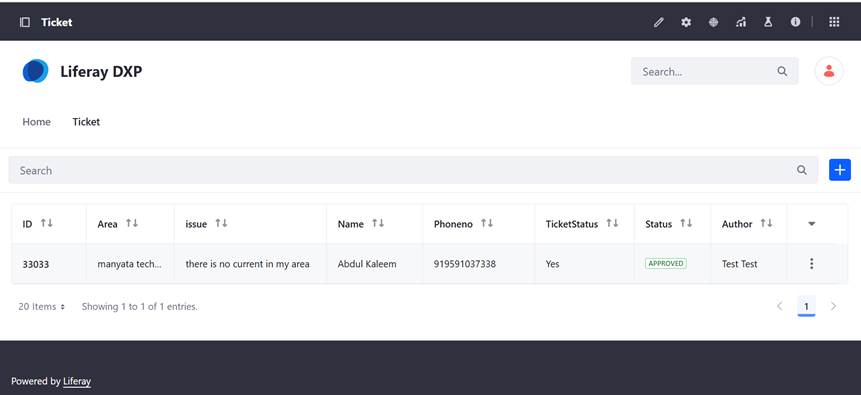
This automation ensures that tickets are logged in real time without any manual input from support staff.
Step 4: Benefits of This Workflow
Conclusion
By combining WhatsApp, n8n, and Liferay, you can create a fully automated issue reporting system. Users report problems directly via WhatsApp, n8n captures the conversation, and tickets are created in Liferay instantly — streamlining your support workflow and improving customer satisfaction.
